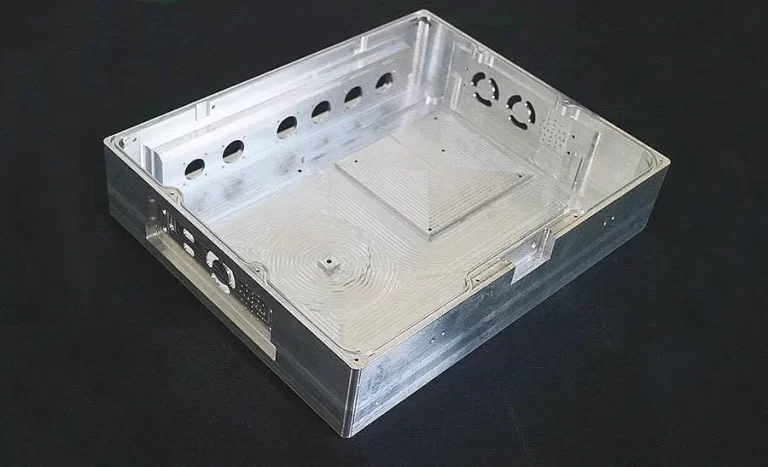
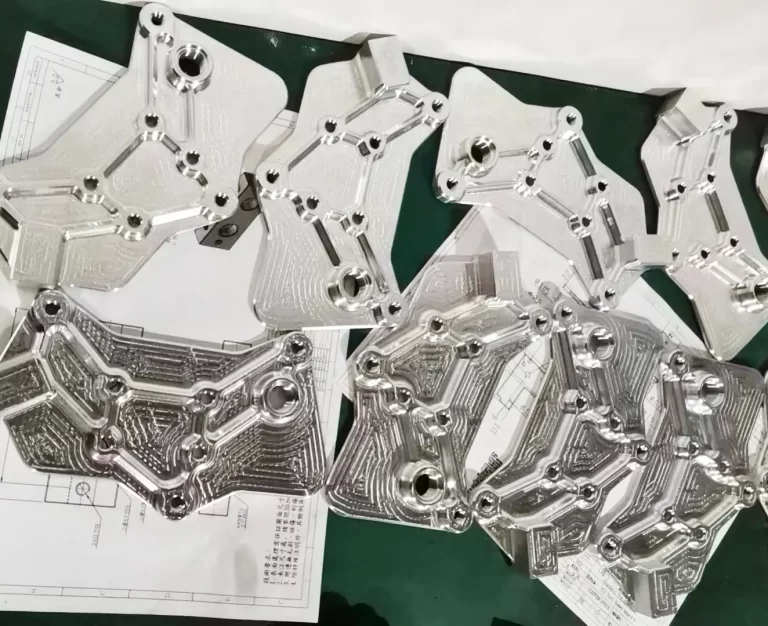
How to efficiently machine shaped parts on CNC mill-turn machines?
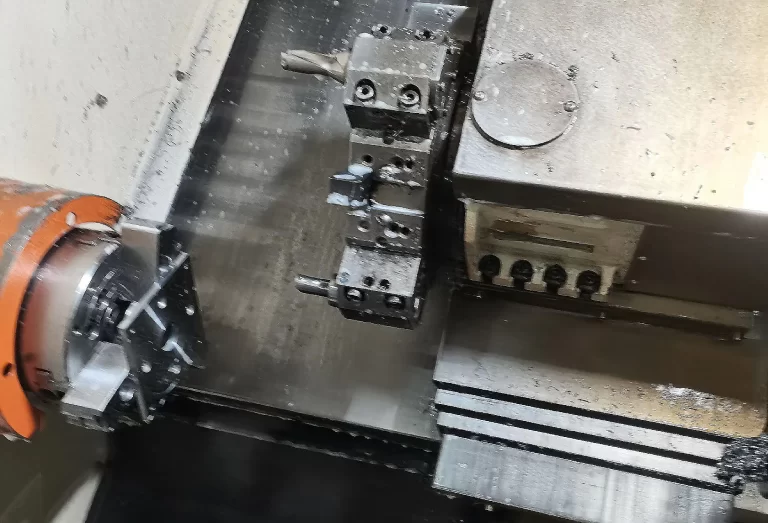


This article provides a structured overview of commonly used CNC lathe G-codes, covering positioning, interpolation, threading, compensation, coordinate systems, and fixed machining cycles.
By explaining command formats, functions, and practical examples, it serves as a concise reference for understanding how different G-codes control tool motion, machining accuracy, and process efficiency in turning and machining center operations.
G00 X_ Z_ This command moves the tool from its current position to the specified location (in absolute coordinate mode) or to a distance away (in incremental coordinate mode).
Our definition is:
Each axis position is determined using an independent rapid traverse rate.
The toolpath is non-linear;
machine axes sequentially stop at command-specified positions according to their arrival order.
The tool path positions to the required location in the shortest time (not exceeding the rapid traverse rate of each axis), similar to linear cutting (G01).
N10 G0 X100 Z65.
G01 X(U)_ Z(W)_ F_ ;
Linear interpolation moves from the current position to the commanded position in a straight line at the commanded feed rate.
X, Z:
Absolute coordinate values of the target position. U, W: Incremental coordinate values of the target position.
① Absolute coordinate program G01 X50. Z75. F0.2 ;X100.;
② Incremental coordinate program G01 U0.0 W-75. F0.2 ;U50.
G02(G03) X(U)__Z(W)__I__K__F__ ;
G02(G03) X(U)__Z(W)__R__F__ ;
G02 – Clockwise (CW)G03 – Counterclockwise (CCW)X, Z – Endpoint in coordinate system U, W – Distance between start and end points I, K – Vector from start point to center (radius value) R – Arc range (max 180 degrees).
① Absolute coordinate program
G02 X100. Z90. I50. K0. F0.2 or G02 X100. Z90. R50. F02;
② Incremental coordinate system program:
G02 U20. W-30. I50. K0. F0.2; or G02 U20. W-30. R50. F0.2;
The coordinate system can be set using the second origin function.
1. Set the coordinate values for the tool starting point using parameters (a, b).
Points “a” and “b” represent the distance between the machine origin and the tool starting point.
2. Use the G30 command instead of G50 to set the coordinate system during programming.
3. After executing the first origin return, the tool moves to the second origin upon encountering this command, regardless of its actual position.
4. Tool changes are also performed at the second origin.
G32 X(U)__Z(W)__F__ ;
G32 X(U)__Z(W)__E__ ;
F – Thread lead setting E – Pitch (mm) When programming thread cutting, incorporate the spindle speed RPM uniform control function (G97) and consider specific characteristics of the threaded section.
In thread cutting mode, feed rate control and spindle speed control functions are ignored.
Furthermore, when the feed hold button is active, the movement process stops after completing one cutting cycle.
G00 X29.4;
(1-cycle cutting) G32 Z-23. F0.2;
G00 X32; Z4.;
X29.;
(2-cycle cutting) G32 Z-23. F0.2; G00 X32.; Z4.
G41 X_ Z_;
G42 X_ Z_;
When the tool edge is sharp, the cutting process executes according to the programmed shape without issues.
However, the actual tool edge consists of an arc (tool tip radius), as shown in the figure above.
This radius introduces errors during arc interpolation and threading operations.
Command Cutting Position Tool Path
G40 Cancel Tool moves along the programmed path
G41 Right Tool moves from the left side of the programmed path
G42 Left Tool moves from the right side of the program path
The compensation principle depends on the direction of the tool tip arc center, which never coincides with the radius vector inside the cutting surface normal.
Therefore, the compensation reference point is the tool tip center.
Typically, tool length and tool tip radius compensation are based on an imaginary cutting edge, making measurement somewhat challenging.
Applying this principle to tool compensation requires measuring the tool length and tip radius R at reference points for X and Z axes, respectively, along with the required tip form number (0-9) for hypothetical tip radius compensation.
These values should be pre-entered into the tool offset file.
“Tip radius offset” should be commanded or canceled using G00 or G01 functions.
Regardless of whether this command includes circular interpolation, the tool will not move correctly, causing it to gradually deviate from the intended path.
Therefore, the tool tip radius offset command must be completed before the cutting process begins; this prevents overcutting when starting from the outside of the workpiece.
Conversely, to cancel the offset after the cutting process, use a movement command.
G54 X_ Z_;
Assigns any point in the machine coordinate system (workpiece origin offset value) to parameters 1221–1226 using G54–G59 commands, thereby setting the workpiece coordinate system (1–6).
These parameters correspond to G codes as follows:
Workpiece Coordinate System 1 (G54) — Workpiece Origin Return Offset Value — Parameter 1221 Workpiece Coordinate System 2 (G55) — Workpiece Origin Return Offset Value — Parameter 1222 Workpiece Coordinate System 3 (G56) —Workpiece origin return offset value—Parameter 1223 Workpiece coordinate system 4 (G57) —Workpiece origin return offset value—Parameter 1224 Workpiece coordinate system 5 (G58) —Workpiece origin return offset value—Parameter 1225 Workpiece coordinate system 6 (G59) —Workpiece origin return offset value—Parameter 1226
After power-up and completion of origin return, the system automatically selects workpiece coordinate system 1 (G54).
These coordinates remain valid until modified by a “modal” command.
Beyond these setup steps, the system includes a parameter allowing immediate modification of G54–G59 settings.
External workpiece origin offset values can be transmitted via parameter 1220.
G70 P(ns) Q(nf) ns: First segment number of the finishing shape program. nf: Last segment number of the finishing shape program.
After rough turning with G71, G72, or G73, perform finishing turning with G70.
G71U(△d)R(e)G71P(ns)Q(nf)U(△u)W(△w)F(f)S(s)T(t)N(ns)…………….F__Program segments from number ns to nf specify movement commands between A and B. .S__.T__N(nf)……△d: Cutting depth (radial specification).
No positive/negative sign required. The cutting direction follows the AA’ orientation and remains unchanged until overridden.
Specified by FANUC system parameter (NO.0717).
e: Retraction distance.
This is a status designation and remains unchanged until another value is specified. Specified by FANUC system parameter (NO.0718).
ns: First segment number of the finishing shape program.
nf: Last segment number of the finishing shape program.
△u: Distance and direction of the finishing allowance in the X direction. (Diameter/Radius)
△w: Distance and direction of the finishing allowance in the Z direction.
If the finishing profile from A to A’ to B is defined by the program as shown below, the specified area is turned away using △d (cutting depth), leaving finishing allowances △u/2 and △w.
G72W(△d)R(e) G72P(ns)Q(nf)U(△u)W(△w)F(f)S(s)T(t) △t, e, ns, nf, △u, △w, f, s, and t have the same meanings as in G71.
As shown in the figure below, this cycle is identical to G71 except that it is parallel to the X-axis.
G73U(△i)W(△k)R(d)G73P(ns)Q(nf)U(△u)W(△w)F(f)S(s)T(t)N(ns)…………………Program segment number along A A’ B N(nf)………
△i: Retraction distance in X-axis direction (radius specification), defined by FANUC system parameter (NO.0719).
△k: Retraction distance in Z-axis direction (radius specification), defined by FANUC system parameter (NO.0720).
d: Number of divisions. This value matches the roughing repetition count, defined by FANUC system parameter (NO.0719).
ns: First segment number of the finishing shape program. nf: Final segment number of the finishing shape program.
△u: Distance and direction of the finishing allowance in the X-direction. (Diameter/Radius) △w: Distance and direction of the finishing allowance in the Z-direction.
This function is used to repeatedly cut a gradually changing fixed shape.
Using this cycle allows for efficient machining of workpieces that have already been shaped through roughing operations or casting.
G74 R(e); G74 X(u) Z(w) P(△i) Q(△k) R(△d) F(f)
e: Retraction amount.
This is a state specification and remains unchanged until another value is specified.
Specified by FANUC system parameter (NO.0722).
x: X coordinate of point B
u: Increment from A to B
z: Z coordinate of point C
w: Increment from A to C
△i: Movement in the X direction
△k: Movement in the Z direction
△d: Tool retraction amount at the cutting bottom.
The sign of △d must be (+). However, if X(U) and △i are omitted, the tool retraction amount can be specified with the desired positive or negative sign. f: Feed rate.
As shown below, this cycle handles broken chips. If X(U) and P are omitted, the operation only affects the Z-axis and is used for drilling.
G75 R(e); G75 X(u) Z(w) P(△i) Q(△k) R(△d) F(f)
This cycle operates as shown below, identical to G74 except substituting Z for X. It handles chip breaking and enables X-axis grooving and X-axis peck drilling.
G76 P(m)(r)(a) Q(△dmin) R(d)G76 X(u) Z(w) R(i) P(k) Q(△d) F(f)m: Number of finishing passes (1 to 99).
This is a status specification and remains unchanged until another value is specified. Specified by FANUC System Parameter (NO.0723).
r: Rounding amount. This is a status specification and remains unchanged until another value is specified.
Specified by FANUC System Parameter (NO.0109). a: Tool tip angle: Selectable from 80°, 60°, 55°, 30°, 29°, 0°, specified using two digits.
This is a status specification and remains unchanged until another value is specified. FANUC System Parameter (NO.0724) specifies.
Example: P(02/m, 12/r, 60/a) △dmin: Minimum cutting depth. This is a status specification and will not change until another value is specified.
FANUC System Parameter (NO.0726) specifies. i: Radius difference for thread section. If i=0, standard straight thread cutting is performed. k: Thread height.
This value is specified as a radius in the X-axis direction. △d: Initial cutting depth (radius value). l: Thread lead (same as G32).
Thread cutting cycle.
Linear Cutting Cycle: G90 X(U)___Z(W)___F___ ; Press the switch to enter single program block mode. The operation completes the cycle path shown in the figure: 1→2→3→4.
The sign (+/-) of U and W in incremental coordinate programs changes based on directions 1 and 2.
Taper Cutting Cycle: G90 X(U)___Z(W)___R___ F___ ;
The “R” value for the taper must be specified. Usage of cutting functions is similar to linear cutting cycles.
1. U<0, W<0, R<0 2. U>0, W<0, R>0 3. U<0, W<0, R>0 4. U>0, W<0, R<0
Straight Thread Cutting Cycle:
G92 X(U)___Z(W)___F___ ; Thread range and spindle RPM stable control (G97) similar to G32 (thread cutting).
The chamfer length is set in increments of 0.1L within the range of 0.1L to 12.7L based on the assigned parameter.
Tapered Thread Cutting Cycle: G92 X(U)___Z(W)___R___F___ ;
Thread cutting cycle.
Platform step cutting cycle: G94 X(U)___Z(W)___F___ ;
Taper step cutting cycle: G94 X(U)___Z(W)___R___ F___ .
Step Cutting Linear Speed Control (G96, G97) NC lathes use methods to adjust step size and modify RPM to divide speeds into zones, such as low-speed and high-speed zones; speeds within each zone can be freely altered.
G96 performs linear speed control, maintaining a stable cutting speed by adjusting RPM only when the corresponding workpiece diameter changes.
G97 disables linear speed control, focusing solely on maintaining stable RPM.
Cutting displacement can be assigned using the G98 code for displacement per minute (mm/min) or the G99 code for displacement per revolution (mm/rev).
Here, the displacement per revolution specified by G99 is used for programming on NC lathes.
Movement rate per minute (mm/min) = Displacement rate per revolution (mm/rev) × Spindle RPM Many commands frequently used in machining centers are identical to those in CNC machine tools and will not be detailed here.
Below are only some commands reflecting the characteristics of machining centers:
Command Format: G09; The tool decelerates and achieves precise positioning before reaching the endpoint before proceeding to the next program block.
This is suitable for machining parts with sharp edges.
Command Format: G10 P_R_;
P: Command offset number;
R: Offset value. Tool offsets can be set through program configuration.
Command Format: G60 X_Y_Z_; X, Y, Z are the end-point coordinates requiring precise positioning.
For hole machining demanding exact positioning, this command enables single-direction positioning to eliminate processing errors caused by backlash.
Parameter settings define the positioning direction and overtravel.
Command Format: G61; This is a modal command. In G61 mode, each program segment is equivalent to containing a G09 command.
Command Format: G64; This is a modal command and the machine tool’s default state.
After reaching the command’s endpoint, the tool continues executing the next program segment without deceleration.
It does not affect positioning or verification in G00, G60, or G09. Use G64 to cancel G61 mode.
Command Format: G27; X, Y, Z are the coordinates of the reference point in the workpiece coordinate system.
This verifies whether the tool can position to the reference point.
Under this command, the commanded axis moves at rapid traverse back to the reference point, automatically decelerates, and performs a positioning check at the specified coordinates.
If positioned correctly, the axis reference point indicator lights up; if not, the program checks again.
Command Format: G28 X_Y_Z_; X, Y, Z are intermediate point coordinates, freely configurable.
The machine first moves to this point before returning to the reference point.
Setting an intermediate point prevents tool interference with the workpiece or fixture during the return to the reference point.
Example: N1 G90 X100.0 Y200.0 Z300.0 N2 G28 X400.0 Y500.0; (Intermediate point: 400.0, 500.0) N3 G28 Z600.0; (Intermediate point: 400.0, 500.0, 600.0)
Command Format: G29 X_Y_Z_; X, Y, Z are the return destination coordinates.
During the return process, the tool first moves from any position to the intermediate point determined by G28 for positioning, then proceeds to the destination.
G28 and G29 are typically used in pairs; G28 and G00 can also be used together.
Mastering these G-code commands is essential for efficient, accurate, and safe CNC machining.
From basic positioning (G00/G01) to complex cycles such as roughing, finishing, and threading (G71–G76), each function plays a specific role in controlling tool paths and machining behavior.
A clear understanding of coordinate systems, compensation functions, and reference point commands enables programmers and operators to optimize machining processes, reduce errors, and improve overall productivity on CNC lathes and machining centers.